Finding a word game that runs cleanly in a browser without making you sit through an app download, a signup process, or a wall of ads before you can play is harder than it should be. Septle game online manages all three — it opens, loads, and lets you play within seconds, every single day, for free. If you landed here wondering whether the game requires anything beyond a working browser, the short answer is no.
This guide covers everything you need to know to get started: how the daily online game works, what makes the browser-based format particularly well-suited to a daily habit, and how to approach the puzzle if this is your first time playing a seven-letter word game.
What Septle Game Online Actually Is
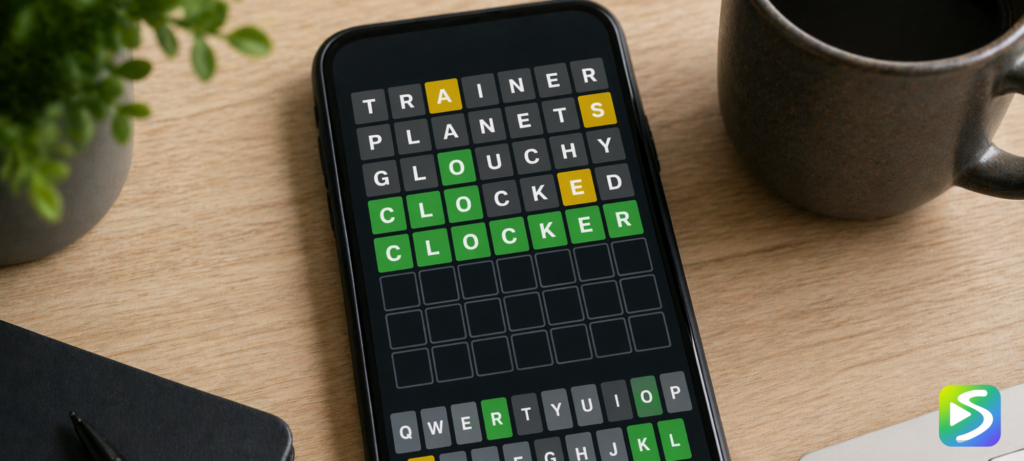
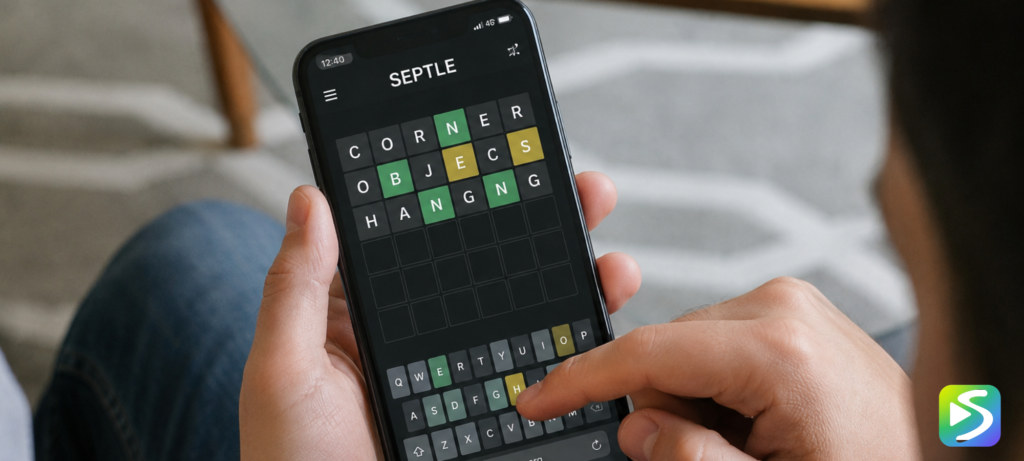
Septle is a daily word puzzle game where your goal is to identify a hidden seven-letter English word in eight attempts or fewer. Every guess you submit must be a valid dictionary word. After each submission, the tiles change color to show you how close you were. Green means a letter is correct and in the right position. Yellow means the letter belongs in the word but you placed it in the wrong spot. Gray means that letter is not in the word at all.
The online version runs entirely in your web browser. There is nothing to install, no account to create, and no payment required at any point. The game state saves in your browser automatically, so your streak and stats persist between sessions on the same device. A fresh puzzle becomes available every day at midnight, and every player around the world gets the same word.
You can start playing right now at the Septle. The main seven-letter puzzle is at the top, with two bonus games — a six-letter challenge and a five-letter mode — available in the same session once you have finished the main puzzle.
Why the Browser Format Works So Well for a Daily Game
The decision to build Septle as a browser-based game rather than a native app was a good one, and it matters more than it might seem. Native apps require installation, take up storage space, and rely on app store approval cycles for updates. Browser games sidestep all of this — the game updates seamlessly, works on every device with a modern browser, and lives at a URL rather than inside a walled-off app ecosystem.
For a daily habit game specifically, the browser format has a particular advantage: there is no friction between the impulse to play and actually playing. You type the address, the game loads, and you are guessing within ten seconds. Any additional step between “I want to play” and “I am playing” is a small barrier that, multiplied over days and weeks, chips away at consistency.
The browser format also means Septle works identically whether you are on a desktop at work, a laptop at home, or a phone on your commute. For players who want to understand what makes the game so playable, the guide on what is Septle covers the game mechanics in more detail including the bonus puzzle structure.
How to Start Your First Septle Game Online
When you open Septle for the first time, you see a grid of empty tiles — seven columns across and eight rows down. The on-screen keyboard sits below the grid. On desktop, you can type directly from your physical keyboard; on mobile, the on-screen keyboard handles input.
Your first move is to type any seven-letter English word and press Enter. The game will reject non-words immediately — you will see the tiles shake if your guess is not a valid dictionary entry. Once a valid word is submitted, the colors appear and the second row activates.
The most useful first guesses are words that test common vowels and consonants across all seven positions. Words like ANOTHER, TENSION, STRANGE, and RELATED are popular because they cover a wide spread of frequently used letters without repeating any. The underlying goal is simple: learn as much as possible about the hidden word from your very first guess.
Playing Septle Game Online on Mobile
Septle works well on mobile browsers — the grid and keyboard scale cleanly to smaller screens, and the touch input is responsive. If you play regularly on mobile and want a slightly more app-like experience, most modern smartphones let you add any website to your home screen as a Progressive Web App. This gives the game its own home screen icon and opens it in a full-screen view without the browser address bar, which makes the mobile experience feel closer to a native app without any of the installation process.
On iPhone, open Septle in Safari, tap the share icon at the bottom of the screen, and select Add to Home Screen. On Android, open the game in Chrome, tap the three-dot menu, and select Add to Home Screen or Install App. The process takes about fifteen seconds and the game works identically either way.
Tracking Your Stats in the Online Game
Septle automatically tracks several statistics for each player: your current streak, your longest ever streak, your total games played, your win percentage, and your guess distribution — a breakdown showing how often you solve the puzzle in two guesses, three, four, and so on. All of this persists in your browser storage between sessions.
If you play on multiple devices and want your stats to carry over, Septle includes a streak export feature in the settings panel. This generates a code that you can paste into a new device to import your streak without losing your history. It is worth setting up early if you switch between devices regularly.
Players who want to use their online sessions more strategically will find the how to get better at Septle guide useful — it covers the specific habits that separate players who solve consistently in four guesses from those who regularly go to seven or eight.
The Daily Reset and What It Means for Your Habit
Every day at midnight, a new Septle puzzle goes live. The previous puzzle closes — you cannot go back and play it if you missed it, and missing a day breaks your streak. This structure is intentional. The daily constraint is part of what makes the game feel like a ritual rather than an endless time sink.
Most players find that the combination of daily reset, streak tracking, and shared-word social experience creates a habit that feels qualitatively different from most other app habits. You come to the game because you want to, not because a notification pulled you in. The game ends when the puzzle is done. There is no next level to chase, no in-game economy to manage, and no pressure to spend more time than the puzzle takes.
Common Issues When Playing Online
The most common issue players encounter is the game not recognizing a word they believe is valid. The Septle word list is curated and does not include every word in the dictionary — proper nouns, very obscure terms, and some specialized vocabulary are excluded. If a word is rejected, try a different seven-letter word that covers similar letters.
If the game loses your streak unexpectedly, it is usually because browser storage was cleared — either manually or by a browser privacy setting that clears site data on close. To prevent this, use the streak export feature before clearing your browser data, or adjust your browser settings to preserve data for specific sites.
Frequently Asked Questions
Is Septle game online completely free?
Yes. Septle is free to play with no subscription, no premium tier, and no in-game purchases. The online version is supported without charging players anything. You do not need an account to play, and there are no hidden costs at any point.
Does Septle game online work on all devices?
Yes. Septle runs on any device with a modern web browser — desktop computers, laptops, tablets, and smartphones. The game scales to different screen sizes and works on both touchscreen and keyboard input. No app download is required for any device.
Can I play old Septle puzzles online?
The main daily puzzle only allows the current day’s word. Practice mode, which is accessible through the game interface, provides additional puzzles that are separate from the daily sequence. There is no official archive of past daily puzzles available for replay.
Why does Septle online reject some words?
Septle uses a curated word list that excludes proper nouns, very obscure terms, and some specialized vocabulary. If your guess is rejected with a shake animation, the word is not in the game’s accepted word list. Try a different seven-letter word with similar letter coverage.
How do I save my Septle game progress online?
Your progress saves automatically in your browser’s local storage. As long as you play in the same browser on the same device and do not clear your site data, your streak and statistics will persist indefinitely. Use the export streak feature in settings to transfer your progress to a different device.